How to configure Leech Protection in cPanel to protect a private folder
Leech Protection helps detect unusual activity in password-protected folders. Use it when you have a private, downloads, or client folder and want to reduce the risk of a shared password being used too many times.
Before you enable it, the folder must already have users configured with Directory Privacy. Leech Protection does not replace access control: it adds limits, alerts, and actions when a user exceeds the allowed login count.
Before you start
- Have access to cPanel for the account where the private folder lives.
- Protect the folder with Directory Privacy first and create the required users.
- Decide how many logins per user are normal during a two-hour period.
- Prepare a redirect URL outside the protected folder if you want to send users there after they exceed the limit.
Choose the right folder
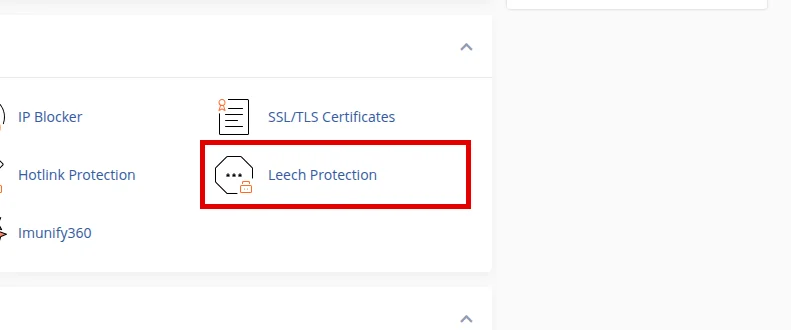
- Log in to cPanel and, in the Security section, open Leech Protection.
- If you need to enter a subfolder, click the folder icon or folder name to navigate the file system.
- When you see the path you want to protect, find that row and click EDIT. In the demo, the validated row was public_html.
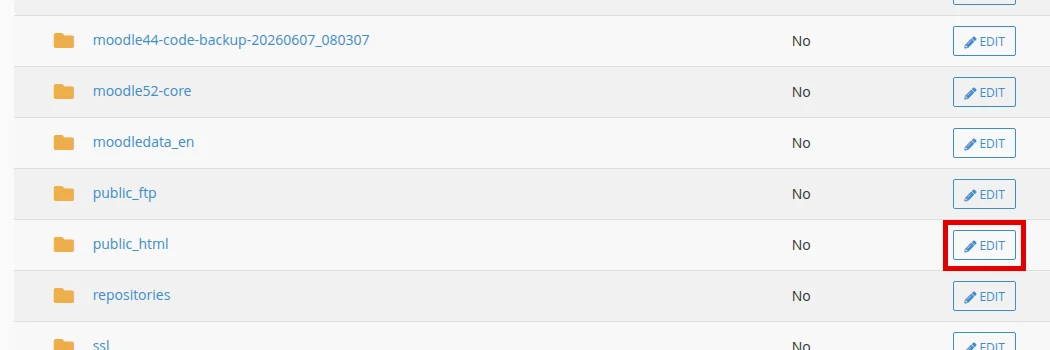
Confirm the path before saving changes. If you choose the wrong folder, you could limit users from another project or leave the folder that mattered unprotected.
Configure the login limit
- Review the status message for the path. If it is not active yet, cPanel shows something like Leech protection is currently disabled for that folder.
- In Number of Logins Per Username Allowed in a 2-Hour Period, enter the maximum number of logins each user can make during that period.
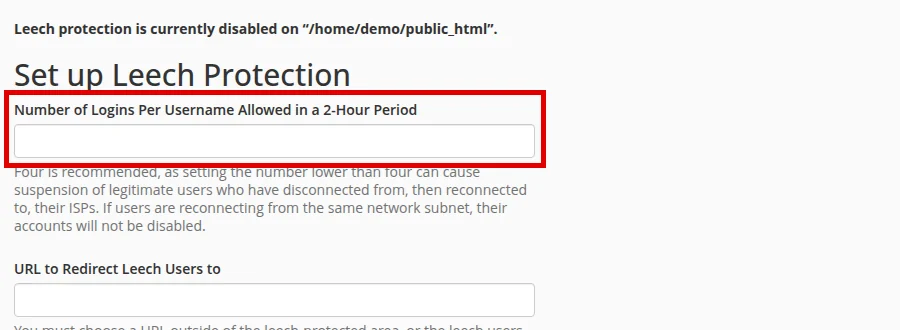
- Use a realistic limit: cPanel recommends four, but a client folder may need only a few logins while a work folder may need more.
- In URL to Redirect Leech Users to, enter a URL outside the protected folder if you want to redirect users after they exceed the limit.
- If you need a notice, enable Send Email Alert To and enter the address that should receive the notification.
A limit that is too low can block legitimate usage. If you do not have a clear baseline, start with a conservative value and adjust after reviewing real behavior.
Decide whether to disable compromised accounts
- Review Disable Compromised Accounts only if you want cPanel to automatically disable passwords for users who trigger leech protection.
- Enable it when the folder contains sensitive information and you prefer to cut off access immediately.
- Leave it disabled if blocking users could interrupt an important operation.
- Save with Enable to activate Leech Protection on that folder.
If you enable automatic disabling, document how you will reactivate users or reset passwords after confirming there is no abuse.
Verify that it is active
- Go back to the folder inside Leech Protection.
- Confirm that cPanel no longer shows it as disabled and that it keeps the login limit, redirect URL, and alert email you configured.
- Check that the alert email address is written correctly if you enabled it.
- Run a controlled test with one protected-folder user and confirm normal access still works.
The test should validate legitimate access, not force real lockouts on a production account. If you need to simulate abuse, do it with a temporary user and remove it when you finish.
Common errors
- The folder does not ask for a password: protect it with Directory Privacy first; Leech Protection works on restricted folders.
- Legitimate users get blocked: the login limit is too low for the folder’s real usage.
- The email alert does not arrive: the address is misspelled or the receiving domain filters the notice.
- A user keeps logging in after abuse: Disable Compromised Accounts was not active or the limit has not been reached yet.
Recommended reading
Still need help?
If this guide didn’t solve your issue, our team can help you via ticket.